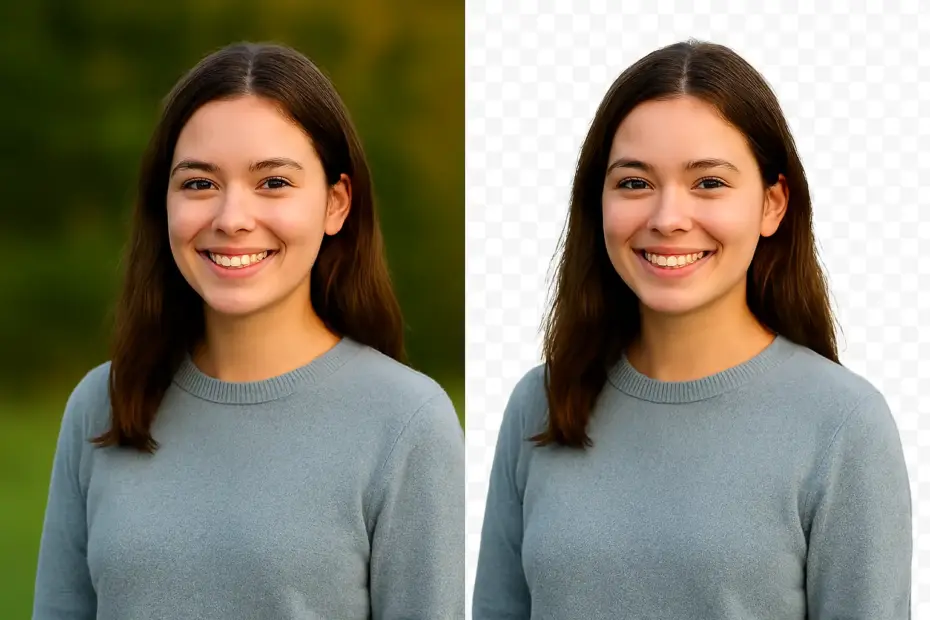
Having released a first iteration of my background removal application for Windows – BGone Background Remover – I thought I’d do a quick write up of the current state of affairs as regards the available technology in general – from a birds eye view.
There are several online SaaS providers offering background removal at the click of a button, mostly if not all, powered by AI on the server. These are all fairly consistently polished services and offer a free usage tier tied to a limited token or credit system before requiring an upgrade to a paid plan. The free tiers generally offer single image processing, with the paid tiers offering batch mode for example, along with higher usage limits. Some of these services come from long established players in the graphics editing market such as Adobe, whilst others are recent entrants specifically positioned around background removal and post processing.
Here is a selection of some well known services with brief descriptions, bearing in mind that there are now literally scores of players in this space, which a quick online search would attest to.
Online Services
- Adobe Express
Website
Online service with free usage and polished as would be expected of the brand. Not restricted to background removal and users can post edit in the application. - Picsart
Website
Online service with a free plan and well established with big name clients as taken from their website. - Fotor
Website
Online service with a free plan. Polished and established. - Remove.bg
Website
Online service with free sample usage and paid tiers that include an API with higher limits and other features. Well established focus and prominently marketed online. - Canva
Website
Well known DIY graphics editing SaaS provider with background removal functionality via its apps offering.
Then there are the more traditional software suites and applications, and I mention below the two prominent solutions, one being a commercial product, the other opensource.
Desktop Applications
- Adobe Photoshop
Website
This well known staple in the professional commercial graphics world took their offering online several years ago and includes in its suite AI background removal. They also have a desktop version that can be obtained via their Adobe Creative Cloud Platform. - GIMP
Website
The opensource GNU Image Manipulation Program (GIMP) has been around almost as long as Linux itself and is available for all major operating systems. Although it does not come with native AI or automated background removal features, its feature set allows for manual execution of the task in the right hands. It does however have a plugin system, and a background removal plugin is available from the previously mentioned AI driven online service Remove.bg – Gimp Remove Background Plugin.
While the above products and services are an overview of what is available in the consumer marketplace, it barely scratches the surface regarding what is now a fairly commoditized market in general. Worth a note too is that the latest version of the Windows 11 Photos app includes background removal, as does the equivalent on macOS.
Next up I will take a brief look at some of the more technically interesting advances in this space from a software developer perspective, some of which no doubt power several of the commercial online services themselves.
Programming Tools
- Rembg
Repository
Taken from its GitHub repository site Rembg is a Python based tool to remove image backgrounds that can be used from the command line (CLI), as a Python library, HTTP server, or Docker container. It is the culmination of research in deep learning as applied to image background removal and runs on the ONNX Runtime, a high-performance, cross-platform engine for running machine learning models in the ONNX (Open Neural Network Exchange) format. It can be installed as simply as:
->pip install rembg[cpu]for the CPU version or
->pip install rembg[gpu]for the GPU version. - withoutBG
Repository
Similar to Rembg, withoutBG is an opensource background removal tool that can be used from the command line (CLI), as a Python library, or a Docker container. The results are fairly cutting edge as the creator has meticulously trained the ML models over a period of time and employs some innovative strategies to yield polished results at a fine level of detail. It too can be installed as simply as:
->uv add withoutbgor with pip
->pip install withoutbg.
There is also a commercial API service at withoutBG.com
That’s It!
That’s it for the high level birds eye view of the background removal landscape. I hope this post was useful and if you would like to check out my own background removal application BGone Background Remover, be sure to use checkout code BGONE50 for a 50% discount.